 ×
×
Automate payments with BLIK
Stop chasing payments by hand and keeping accounts in Excel. Zevio collects payments automatically and handles the rest.
Start accepting payments automatically within a single day!
For sports clubs, academies, schools and organizations - membership fees, tuition and class payments collected automatically.
For organizations, clubs and schools
Organizations and clubs
Membership fees and class payments collected automatically.
Education and sport
Tutoring, academies and schools - one consent, the rest happens on its own.
See Zevio in action
From setting up a payment to full control of receivables - all in one dashboard.
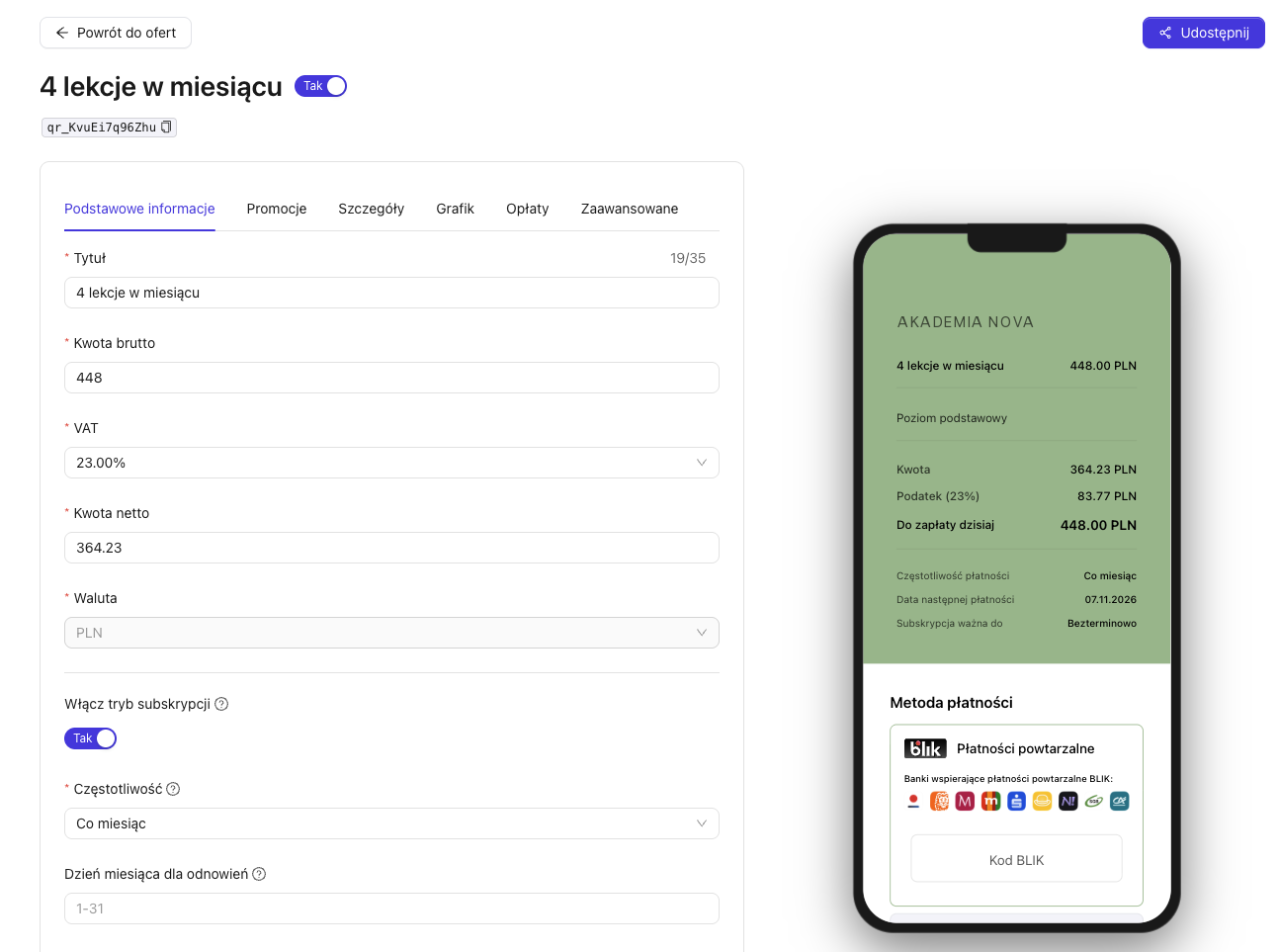
Set up a recurring payment in a minute
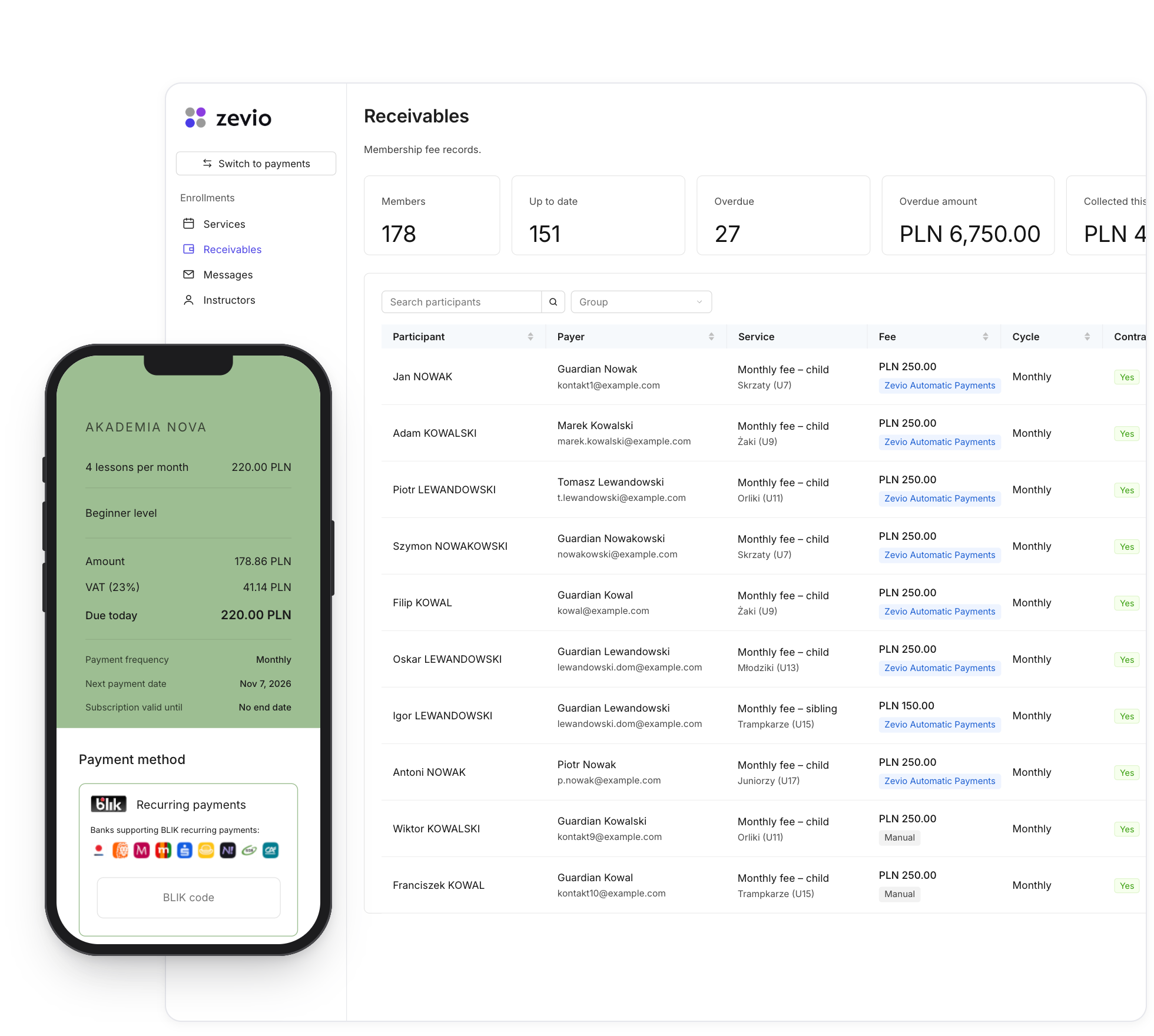
Turn on subscription mode on an offer - the customer pays with recurring BLIK payments and every next cycle is charged automatically.
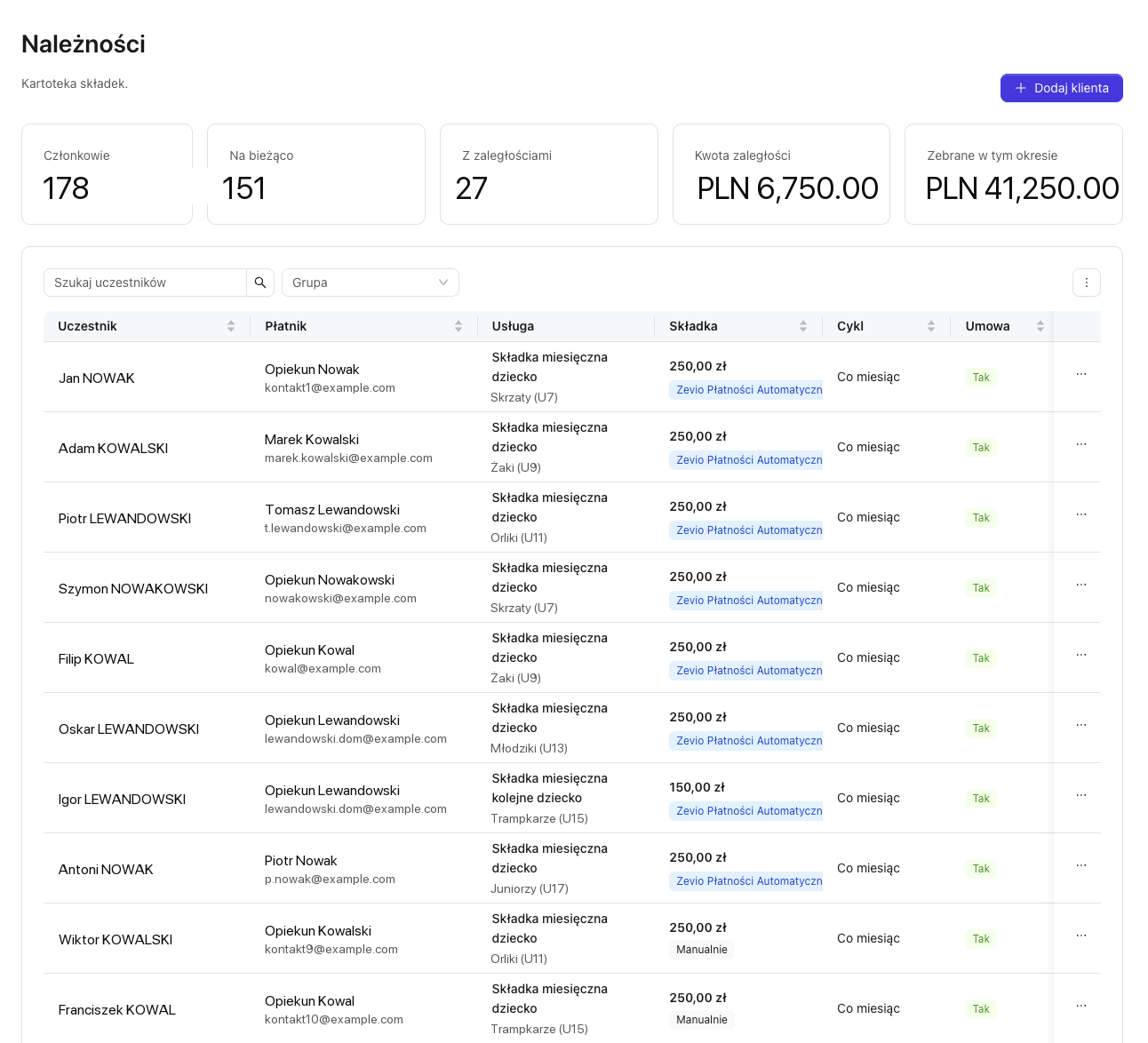
All receivables in one place
Who paid, who is in arrears, how much you collected this period - automatic payments flagged instantly. No more “who paid?” spreadsheet.
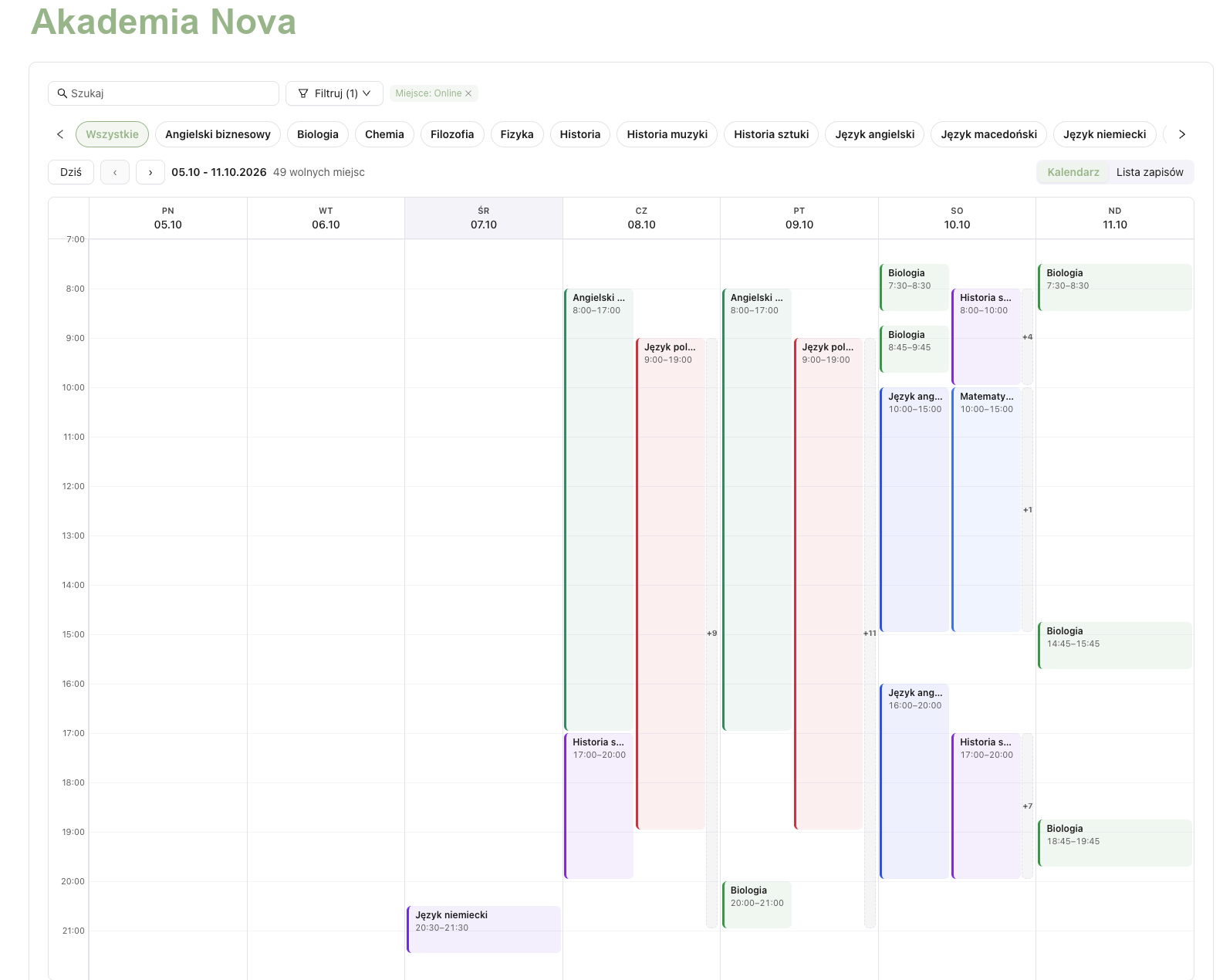
Online sign-ups and schedule
Customers sign up for classes and slots themselves, and you get the full picture in a clear calendar.
What our clients say
„Zevio brought sign-ups, payments and parent communication into one place. Recurring BLIK payments run on their own, and we have more time for students and teachers.”

„We moved away from Excel accounting. Fees are collected automatically on a subscription model — convenient not just for us, but for parents too. Being able to communicate with parents directly in Zevio is also very practical. We have more time for what matters most: developing young hockey players.”


Sound familiar?
Manual transfers and reminders
Every month you track who paid and chase the rest.
"Who paid?" in Excel
Receivables and fees logged by hand, with errors and no control.
Money arrives late
No automation means arrears and lost revenue.
One change: payments collect themselves
Instead of waiting for a transfer and ticking off a spreadsheet, you connect a customer once and Zevio collects the payment automatically each cycle - with recurring BLIK payments (or card, Apple Pay, Google Pay). All receivables, statuses and history in one dashboard.
Collects automatically
Recurring BLIK payments every month, with no reminders or manual transfers.
Shows receivables
One view: who, for what and whether paid. No more Excel.
Recovers failed charges
Automatic retries and fallback, fewer arrears.
Why recurring BLIK payments
- A method almost every customer in Poland knows - a lower barrier than a card.
- It does not expire or get blocked like a card - fewer failed payments.
- One consent at the first payment, every following charge is automatic.
- The customer manages the consent in their banking app or in Zevio.
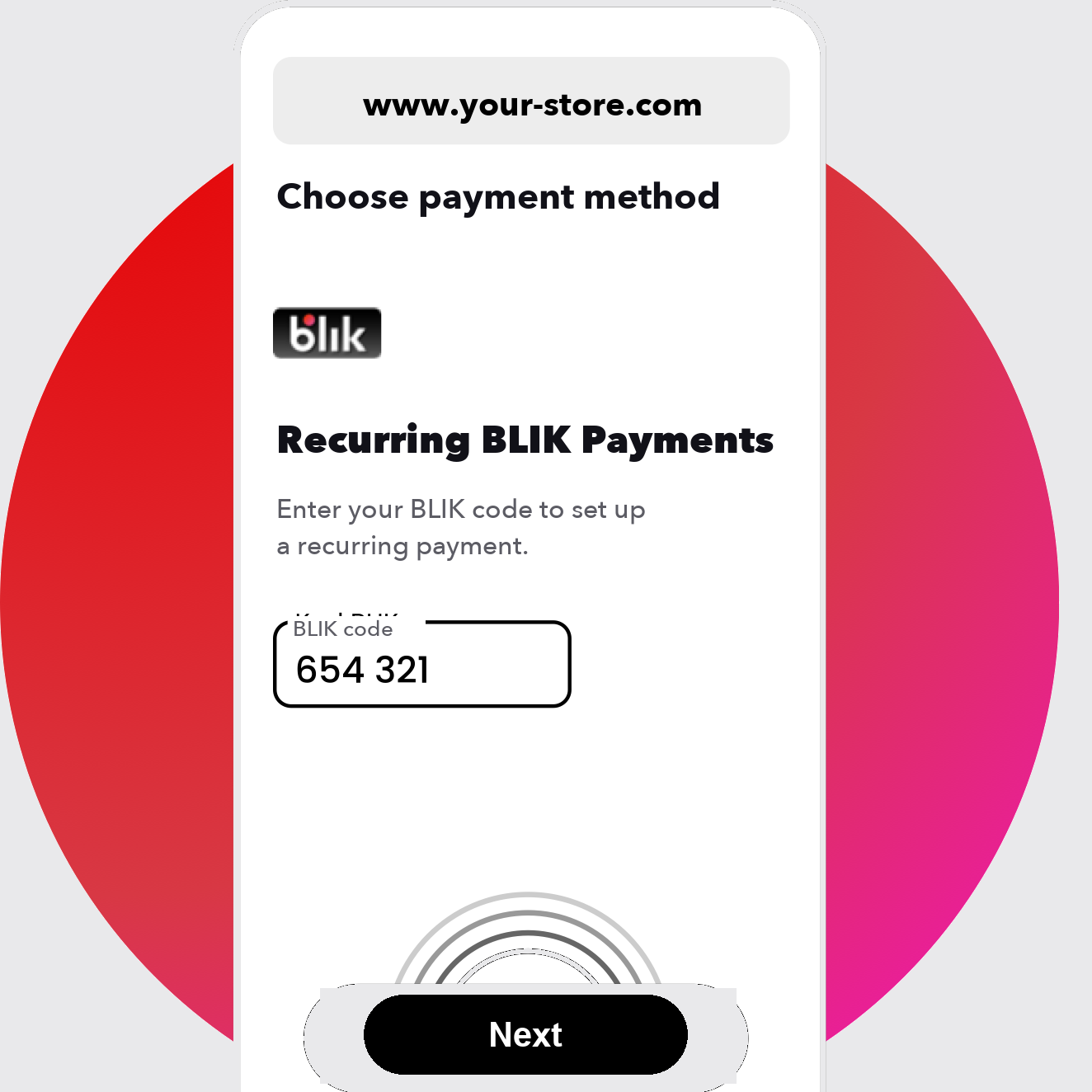
Recurring BLIK payments
How it works
Create an account and add payers
Import a list or add clients / members.
The customer sets up recurring BLIK payments
One consent at the first payment.
Zevio charges each cycle
Automatically, while you see receivables in the dashboard.
See how schools and academies did it
Both institutions dropped Excel and now get paid with recurring BLIK payments, Apple Pay and Google Pay.
Read the customer storySimple pricing
up to 50 active payers, 5% fee
51-1000 payers, 3% fee (annual -10%)
custom solutions, your own payment gateway
Frequently asked questions
What are recurring BLIK payments?+
A recurring payment based on a one-time customer consent at the first transaction - every following charge is automatic, with no card number needed.
How do recurring BLIK payments differ from standard BLIK?+
Standard BLIK requires the customer to enter a 6-digit code for every payment. Recurring BLIK payments work on a one-time consent - the customer confirms once, and the following charges happen automatically, with no code each time.
Are recurring BLIK payments safe?+
Yes. The customer gives consent in their banking app or in Zevio and can withdraw it at any time. No card number is shared, and the customer keeps control of the consent.
Can I charge fixed and variable amounts?+
Yes. Recurring BLIK payments support both a fixed fee each period (e.g. a subscription) and a variable amount calculated before each charge.
Do I have to drop my current tools?+
No. You can roll out Zevio alongside existing systems or as a standalone platform for receivables and fees.
What payment methods does Zevio support?+
Recurring BLIK payments, card, Apple Pay, Google Pay.
Who is Zevio for?+
For businesses and organizations charging on a recurring basis: B2B receivables, membership fees, class payments, subscriptions.
How much does it cost?+
From 0 zł (the Free plan up to 50 payers). Basic from 99 zł/mo. Details on the pricing page.